If you’re using Microsoft’s .NET charting control on your ASP.NET pages you may receive an annoying error
[ArgumentException]: The image is not found. at
System.Web.UI.DataVisualization.Charting.ChartHttpHandler.ProcessSavedChartImage(HttpContext context) at
System.Web.UI.DataVisualization.Charting.ChartHttpHandler.System.Web.IHttpHandler.ProcessRequest(HttpContext context) at
System.Web.HttpApplication.CallHandlerExecutionStep.System.Web.HttpApplication.IExecutionStep.Execute() at System.Web.HttpApplication.ExecuteStep(IExecutionStep step, Boolean& completedSynchronously)
I could be intermittent, sometimes happen, sometimes not. In your web.config you already set your temp images to be stored as files and not deleted after serving:
<add key="ChartImageHandler" value="storage=file;timeout=20;url=~/temp/;deleteAfterServicing=false" />
as well as trying other remedies and nothing helps.
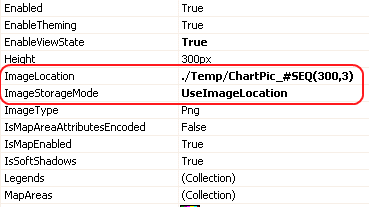
One possible solution is, while still using file temp storage, instead of indicating relative path via url property set it to absolute path via dir property:
<add key="ChartImageHandler" value="storage=file;timeout=20;dir=C:\TEMP;deleteAfterServicing=false" />
In the example above C:\TEMP is an absolute path to the temp folder on the Web Server. In your case it could be different; in multi-server (WebFarm) environment it should be a network share, accessible by all servers.