• Home
  • About
  • Resume

Posts tagged: bug

WebHierarchicalDatagrid: Sys.ArgumentException: Cannot deserialize on Row Expand

By , 08/04/2011 4:53 PM

I have been using WebHierarchicalDataGrid with manual load on demand bands with a pretty good success until I hit this snag.

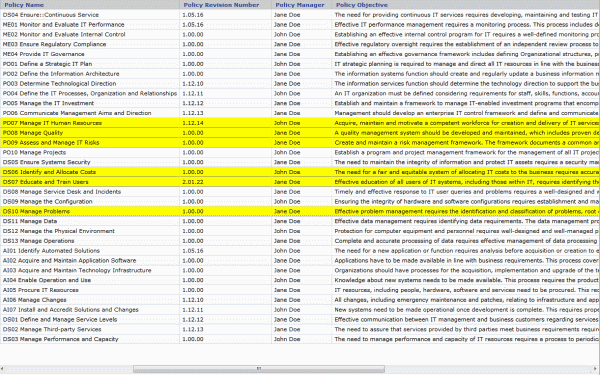
The WHDG has correctly displayed HTML fields before, but this time a column with HTML data (an HREF link to be precise) is needed as one of the grid’s DataKeyFields to provide uniqueness of the row:

WHDG with HTML column Continue reading 'WebHierarchicalDatagrid: Sys.ArgumentException: Cannot deserialize on Row Expand'»

Solution for “OraOLEDB.Oracle Provider is not registered” error

By , 07/27/2011 3:40 PM

While connecting from an ASP.NET application to an Oracle database via OLEDB I got following error:

OraOLEDB.Oracle Provider is not registered on the local machine

Now I know that the driver was installed and registered. I downloaded an official driver from Oracle WebSite. In my case it was ODAC112021Xcopy_x64.zip 64-bit version for XCopy deployment. It installs in 2 easy steps:

  1. Unzip downloaded file into any folder
  2. Run (as administrator) command: INSTALL TYPE PATH NAME DEPENDANCIES

Where

  • TYPE – type of installation (e.g. OLEDB, basic etc.)
  • Path – where you want driver installed
  • Name – Oracle home name
  • Dependencies – true/false whether to install dependencies (e.g. instant client)

So my command was

INSTALL ALL “C:\Program Files\Oracle64Driver” Oracle64Driver TRUE

Which copied the files and created correct Registry entries (I checked). And still I was getting the error. I Googled it (a lot) but majority of suggestions was that the error is due to Windows ACL and correct permissions should be set on the driver folder. Didn’t help me.

So I fired up trusted ProcessMonitor and it showed that W3WP.EXE (ASP.NET process) was trying to access missing OCI.DLL file in the path C:\Program Files\Oracle64Driver\Bin, e.g. in the Bin folder of the path were the driver was installed. Looking back at the place were I unzipped the original driver files I found that DLL inside of “instantclient” folder. So I copied entire content of that folder into Bin folder at the destination. And Voila! The error disappeared.

Apparently Instant Client files aren’t copied by the installer even when Dependencies option is set to true.

Solution for UltraWebGrid missing scrollbars

By , 07/27/2011 10:40 AM

I was working with classic Infragistics UltraWebGrid when noticed strange thing – even though scrollbars were enabled for the grid, the grid had fixed size and number of rows was bigger than the grid could display – no scrollbars appeared. For me it was a combination of grid being shown in a modal dialog in IE7 browser, but it could happen in other scenarios.

I also noticed when grid experienced any kind of user interaction (row added, row selected, checkbox cell checked etc.) scrollbars would magically appear. So the solution? Simulate user interaction. For example this code can be included in grid’s client-side InitializeLayout event:

function xMyGrid_InitializeLayout() {
    var oGrid = igtbl_getGridById('xMyGrid')
    oGrid.Rows.getRow(0).setSelected(true);
    oGrid.Rows.getRow(0).setSelected(false);
}

What happens here is first row of the grid is selected and an instant later unselected. It happens so fast that there’s no visual indication. But the grid gets its “user interaction” and scrollbars appear.

Solution for ‘previousSibling’ is null or not an object error in grouped UltraWebGrid

By , 04/22/2011 11:38 AM

Infragistics UltraWebGrid offers standard keyboard navigation for record selection. For example you can click a row, and holding Shift key press Down Arrow to select multiple records. This works fine for a flat grid, but try this with grid in OutlookGroupBy mode and you’ll get an error ‘previousSibling’ is null or not an object:

Error selecting records in grouped UltraWebGrid

After some digging I found the culprit. Continue reading 'Solution for ‘previousSibling’ is null or not an object error in grouped UltraWebGrid'»

Making HoverCssClass work in WebDataTree

By , 03/16/2011 10:21 AM

Infragistics WebDataTree control offers extensive support of CSS for tree styling. One of the options HoverCssClass is intended to alter tree node appearance when mouse pointer hovers over it:

HoverCssClass properting in Infragistics WebDataTree

Unfortunately it doesn’t seem to have any effect on the tree appearance. When I set that class to simple underline node:

.fnTreeHover {text-decoration:underline}

nothing happened. I found the workaround when I noticed that the tree is rendered as an ancor tag <A> inside of <LI> tag:

WebDataGrid rendered in HTML

The solution is to apply style to this combination:

LI A:hover {text-decoration:underline}

Bingo. Now tree nodes are underlying when mouse is over them.

Infragistics WebDataMenu CSOM addItem/removeItem workaround

By , 02/24/2011 2:01 PM

Infragistics Aikido WebDataMenu control has extensive (albeit poorly documented) client-side library of classes, method and properties. 2 methods addItem and removeItem supposedly allow you to add/remove menu items in JavaScript. These methods have been public since 9.2 release probably even earlier, but have a lot of drawbacks, one of the major ones – for every method call an AJAX call to server is made, which slows performance dramatically, breaks code flow and won’t let you set properties of newly added item.

Method described below is a bit of a hack, but it works purely client-side, no slow round trips, no waiting for AJAX call to return and you have full control of all menu items. Continue reading 'Infragistics WebDataMenu CSOM addItem/removeItem workaround'»

SSRS Query execution failed … Expected parameter …

By , 01/04/2011 5:34 PM

Consider following scenario: While developing for SQL Server Reporting Services you created a report in Business Intelligent Studio (or generated RDL file elsewhere and then added it to Studio’s project). Everything works fine, you’re able to preview report. And then you need to change Data Source (one example: you created a shared Data Source and now want your report to use it). After you do that any attempt to run the report results in error: Query execution failed … Expected parameter ….

The reason in this case – when you change the data source thru GUI – it resets query used by the report. It can change query type from StoredProcedure to Text and also remove all default query parameters (hence error above).

There’re 2 possible solutions here: First – instead of using GUI, manually change Data Source in the XML source of the report file (in Solution Explorer right mouse click on the report file and select “View Code”). You will have to change it in several places, so be careful. Second – re-create query with its default parameters after changing Data Source in GUI.

WebHierarchicalDataGrid: Not ready for prime-time

By , 10/21/2010 9:00 AM

I had high hopes for Infragistics Web Hierarchical Data Grid control. Especially in NetAdvantage 10.3 release (current as of this post). Control from Aikido Framework, build on AJAX from ground up, lightweight and fast – I was really excited.

Unfortunately it didn’t turned out exactly as I expected.

First – WHDG cannot bind to a flat ADO.NET data table. Why, you ask, I need to bind flat data to an hierarchical control? Well, it’s the only grid in Aikido that supports OutlookGroupBy mode and I need to be able to group my flat data. But attempt to bind WHDG to DataTable throws an enigmatic InvalidOperationException without giving any clue as why. There’s a workaround – to create a dummy DataSet, add the table to it and bind control to the dataset – but that’s just silly. And that’s not the worst of it. Continue reading 'WebHierarchicalDataGrid: Not ready for prime-time'»

UltraWebGrid does not display last column’s right border (solution)

By , 08/03/2010 10:58 AM

If you’re using Infragistics UltraWebGrid and experienced an odd behavior where the grid does not display the right-most vertical border line – there’s a workaround.

By default 2 elements contribute to the grid border – border from RowStyleDefault property and border from FrameStyle property. For some reason IE6/7 (yes, some people still use those) do not render the right border of the last column, even though all 3 properties (BorderColor, BorderStyle and BorderWidth) are set. So the solution is to have FrameStyle lend that border:

  1. Expand RowStyleDefault -> BorderDetails property and set StyleRight to None – this is done, so the double border won’t render in IE8 and other browsers where the border is displayed correctly in the first place
  2. Expand FrameStyle -> BorderDetails property and set ColorRight, StyleRight and WidthRight properties to the desired color, style and width (e.g. LightGray, Solid, 1px)

As a result, the right border is displayed correctly in all versions of IE.

WARP, UltraWebGrid and ScriptManager glitch in IE6 and IE7

By , 07/16/2010 3:51 PM

This is probably a very obscure situation, but it happened to me, it could happen to someone else. Scenario: an ASP.NET page with Infragistics UltraWebGrid inside of a WARP panel. A button outside the WARP serves as a trigger for partial postback. First click on the button causes expected partial postback, but on the second click page does full postback and is screwed after that. The issue happens only in IE6/7, page works correctly in IE8.

Another condition – page contains ASP.NET AJAX ScriptManager control with ServiceReference path pointing to an ASMX WebService.

Turned out the issue was caused by project being left in debug mode (in web.config debug=”true”). Which caused WebService page to be loaded with parameter “jsdebug” in query string. Which apparently IE6 and 7 didn’t like very much. Switching to debug=”false” in web.config solved the problem.

Panorama Theme by Themocracy

Switch to our mobile site