Infragistics UltraWebGrid offers rich set of features, among which paging of large sets of data. But if your total-number-of-records/records-per-page ratio is too high you will end up with way too many page links. And it doesn’t look pretty:

UltraWebGrid offers some out-of-the-box solutions for this problem. Continue reading 'Create enhanced pager for Infragistics UltraWebGrid'»
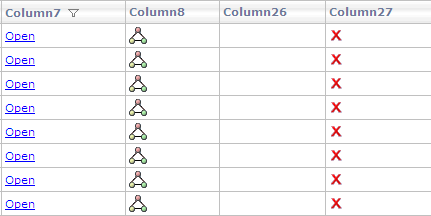
Recently I upgraded an ASP.NET project from ancient 6.3 version of Infragistics to current (at the moment) 9.2. Suddenly UltraWebGrid control began to display an unpleasant effect – columns that used to have no caption now showed what appeared to be default captions:

Looking at grid’s HTML markup I noticed that it set the caption to an empty string (showing code for one column):
<igtbl:UltraGridColumn HeaderText="">
<Header Caption="">
</Header>
</igtbl:UltraGridColumn>
Apparently it’s a new behavior in Infragistics 9.x to substitute empty captions with default column names. The solution is to set caption to a single space which, while invisible, is considered a real text caption and is not substituted by anything:
<igtbl:UltraGridColumn>
<Header Caption=" ">
</Header>
</igtbl:UltraGridColumn>
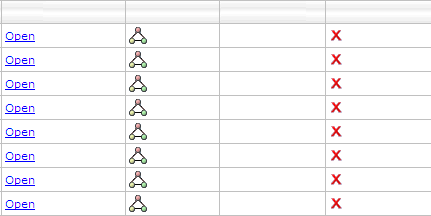
The result:

If you get the following error while browsing a page in Internet Explorer:
The value of the ‘method’ attribute may not be ‘html’
chances are MSXML registration is corrupted on your machine. To fix this, open DOS prompt and type following commands:
regsvr32 msxml.dll
regsvr32 msxml2.dll
regsvr32 msxml3.dll
This will re-register MSXML and the error will go away.
Internet Explorer has a well known proprietary modal dialog window that can be opened using showModalDialog DOM command. While it is not a good idea to use browser-specific functionality, for many it’s a convenient way to display a modal window and return result back to the parent.
Modal Dialog is designed to display data, accept user input and close window, returning the input back to the parent. It is not meant for postbacks, if you try initiating postback in Modal Dialog, all kinds of weird stuff could happen – from opening postback in a new window to JavaScript errors.
But there is an easy fix for that. If you include following line:
<base target="_self"></base>
inside of your page header in HTML source, e.g.:
<head>
<title>My Page</title>
<base target="_self"></base>
</head>
modal dialog will be able to successfully postback to itself.
All browsers support “View page source” feature. But what it displays is source of the page as it was originally rendered by the server. In today’s Web 2.0 world page content can change a thousand times after that. Client-side script, user input, AJAX calls can contribute to page update.
But one line of JavaScript code can show you a real up-to date page source. Type following in your browser address bar:
javascript:void prompt('HTML Source',document.documentElement.innerHTML)
Continue reading 'View real HTML source of a page'»
Rounded corners add nice touch to look and feel of a Web Page. User interface that employs rounded corners looks more streamlined, more ergonomic. Often to achieve that effect images are used, but this approach doesn’t allow quick style update and has other issues. Fortunately there is another way:
Compare 2 following DIVs:


First uses pretty basic CSS/HTML:
<style type="text/css">
.normal
{
border: solid 1px blue;
background-color:yellow;
height:100px;
width:200px
}
</style>
<div style="text-align:center">
<div class="normal">
</div>
Let’s take a closer look at the second: Continue reading 'Easy rounded corners in pure HTML/CSS'»